Posts mit dem Label Arduino werden angezeigt. Alle Posts anzeigen

Sonntag, 26. Juni 2011

Ribbon Cables - Arduino Cable Management


EDIT: For the record: DONT do this. Unless you are on a super, super, super tight budget, buy these:
http://www.pololu.com/catalog/category/71
together with these:
http://www.pololu.com/catalog/category/70

Seriously. Make life soooo much easyer.

************************


I stumbled across John Liu's Phi Connect and loved everything about it, except that he doesnt have an Arduino Mega version.

check it out: http://liudr.wordpress.com/gadget/phi-connect/


*

I am prototyping a lot with the Arduino Mega at the moment, and I wanted to improve my cable management, so this is what I came up with.


I have 24 leads connected. 8 go to analog in 0 - 15, 4 go to digital 2 - 7 (as I dont use pin 0 & 1 anyway...) which leaves me with a power and ground cable. works very nicely for me, especially as my actual application has to be semi-independent of the arduino.

If anyone plans on doing this for themselves, here is how I ended up doing it.

a) Prepare the wire
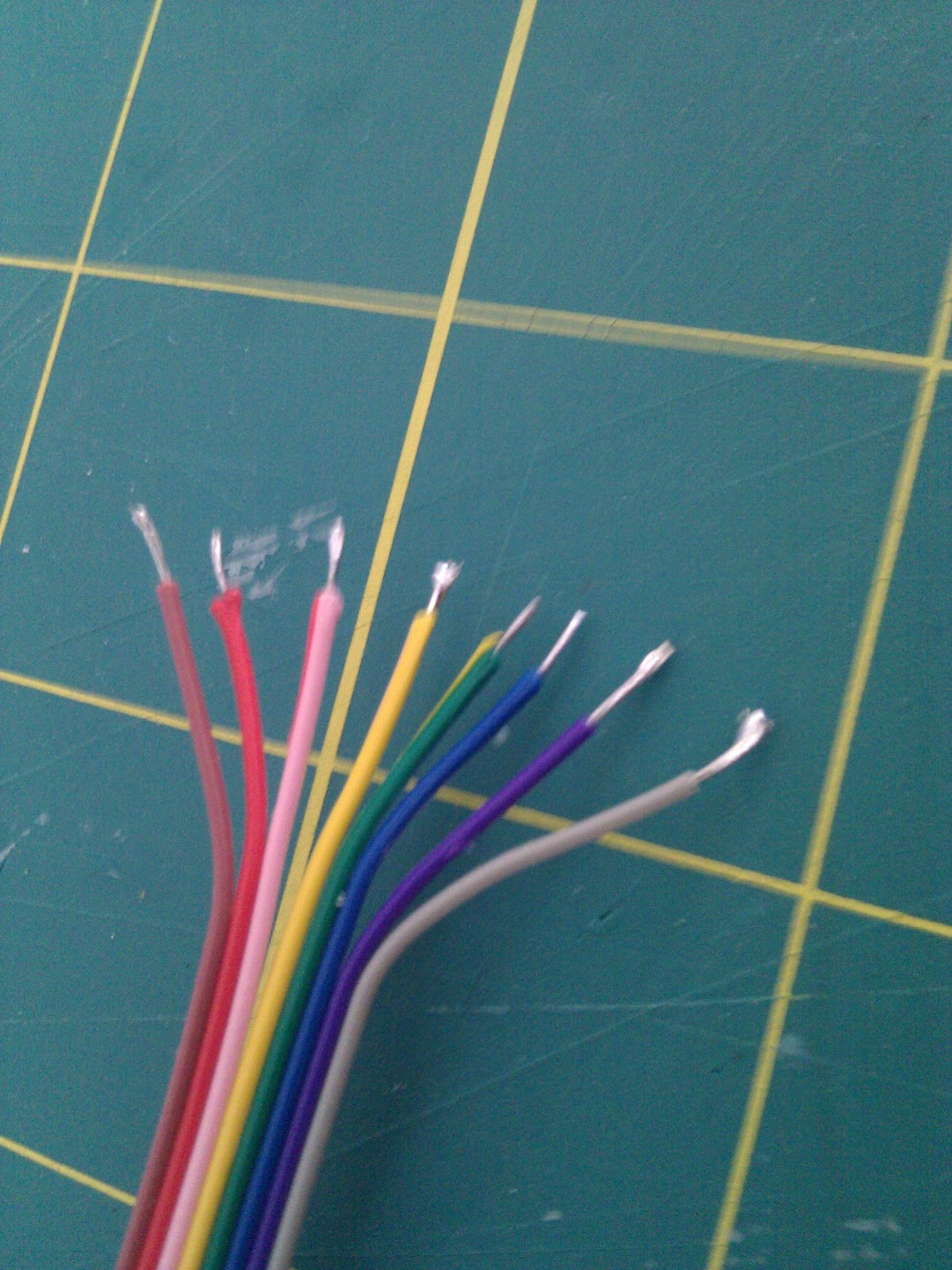
 See how the ends are sort of round? Thats annoying when soldering.

Cut them straight.  Actually, this still did not work 100% next time I want the outside leads to be slightly longer than the inside ones...


After crimping them, I put a ton of solder on both the cable and the pinheader.
Soldering the pinheader is a real pain. The stuff just wont stick to it, and if you fool around too much you start melting the plastic and the pins get loose/crooked etc.


Its inportant however, becouse once thats done, you can just push them together with your soldering iron. Your other hand will be free, as you dont need to add anymore soder, so you can use it to make sure the cable and the headers line up perfectly. If you bend the cable in the right shape, and apply the right amount of solder beforehand you can solder several leads at the same time... after doing this a couple of times you learn how to do it quite efficiantly.

Once it was done I made sure that there where no connections between the cables, wrapped it up with electrical tape and thats all there is to it.


It was more work than I had anticipated ... but assuming they last me for a while, its definitifly worth it.

Freitag, 27. Mai 2011

Flex Sensors by Flexpoint

I have just been playing around with some sensors by Flexpoint. And I have to say, that I really love them...


While the company appears to focus on custom design, they produce standard sensors in three sizes, 3", 2" and 1". The actual variable resistor within the sensor is a bit shorter. Check the image for approximate actual measures:


Other flex sensors I had previously worked with where quite noisy and corse. Also they where usually pressure sensitive as well which in some cases can confuse readings. Another thing which I was sort of afraid of was that they had some type of memory, similar to the conductive polymere I have been working with.

I started playing with the three inch sensor. This is what I figured out:
  • The signal is as clean as I would expect from a high quality potentiometer
  • Using a voltage divider by Phidgets and an Arduino Duemillenove I was able to get a resolution of 800 points
  • There is a slight memory effect. If the sensor is bent very strongly it does not go back to baseline
  • The sensor is not strictly biderectional as about 80% of the possible readings are produced by flexing it in one direction. However there is enough resolution to do coarse bidirectional readings.

I decided to figure out the sensitivity at different levels of flexion (is that a word?) and came up with a chart that I wanted to test:
(U --> Umfang --> Circumference)

Basically I am using the sensors length as a measure and am wrapping it around an object 4 times, 3 times, 2 times and identical to the sensors length. That corresponds to distances of ∞,  2.26,  2.1, 0.777 & 0 inches (I dident do 1,33)

I used a phidgets voltage divider set to 27.4k and the analogue in of my Arduino for these measurements. These are the values I got:
  • Baseline ~ 725 when first connected,  710 after beeing bent strongly and released again
  • 4x -- ~ 550
  • 3x -- ~ 450
  • 2x -- ~ 290
  • Circle ~ 80
I also drew a linear scale, moving the two ends closer together by half an inch at a time:
  • 3"    --  ~ 710
  • 2.5" --  ~ 420
  • 2"    --  ~ 280
  • 1.5" --  ~ 180
  • 1"    --  ~ 120
  • 0.5" --  ~  80
While there is a slight memory effect (i.e. my reasings are lower after having flexed it once) the readings where constant and repeatable after that.

I measured it by marking the distance I want to bend (or flex) to and holding one end tight moving the other end to that mark:


The sensor is glued to a strip of plastic for a more rigid setup. This is to minimize rotation or uneven flexing of the sensor. Which brings me to the main drawback of the 3" sensor: As it is so long, the flexing can happen at different places and it is also prone to rotate, which severely influences the readings. For very precise sensing, it may be of benefit to use shorter sensors.

Here are some images of the 3" sensor in action:


The 2" sensor seems easyer to work with than the 3" sensor, as it is less prone to multiple bends or rotations which give readings which are hard to interpret. My favorite, was the 1" sensor. To be honest that one really surprised me. I got the largest range of readings from it, and becouse of its small size, the readings are very clear (its almost inpossible to bend it in two different ways at the same time, and it is really easy to avoid rotation.) here are some images of the 1" sensor in action:


    Dienstag, 22. März 2011

    Update on coca201 Project


    Animated Paper

    Exploring different techniques of animating paper as well as exploring animated paper as a medium. In particular the use of paper animation as an input device, as well as an output device and as projection surface.


    Excursion 1: Hide your Fears (Earth?)
    Projection on paper animated by Nitinol and activated by proximity. 
    Animation functions as Output


    Possible Schematic for the Nitinol circuitry


    Schetch of Content


    Excursion 2: Tell the Future (Fire, Water?)
    Projection on a Future teller, animated by magnetic actuators triggered by proximity. The animated paper is used as projection surface and output.


    One opening will display fire, another opening will display water.

    Excursion 3:  Follow the Leader (Air?)
    A "Flock" of Doves, which copy the movements of a "Leader" Dove.
    Paper animation is both Input and Output. The Output Animation is servo actuated, the input animation is human actuated.


    Bird flapping its Wings:


    The Input is sensed by stretch sensors incorporated in the Origami. A possible circuit may look like this: